What lands in your inbox
Every problem we found, exactly where it is, and what to do about it — ordered by what's worth fixing first.
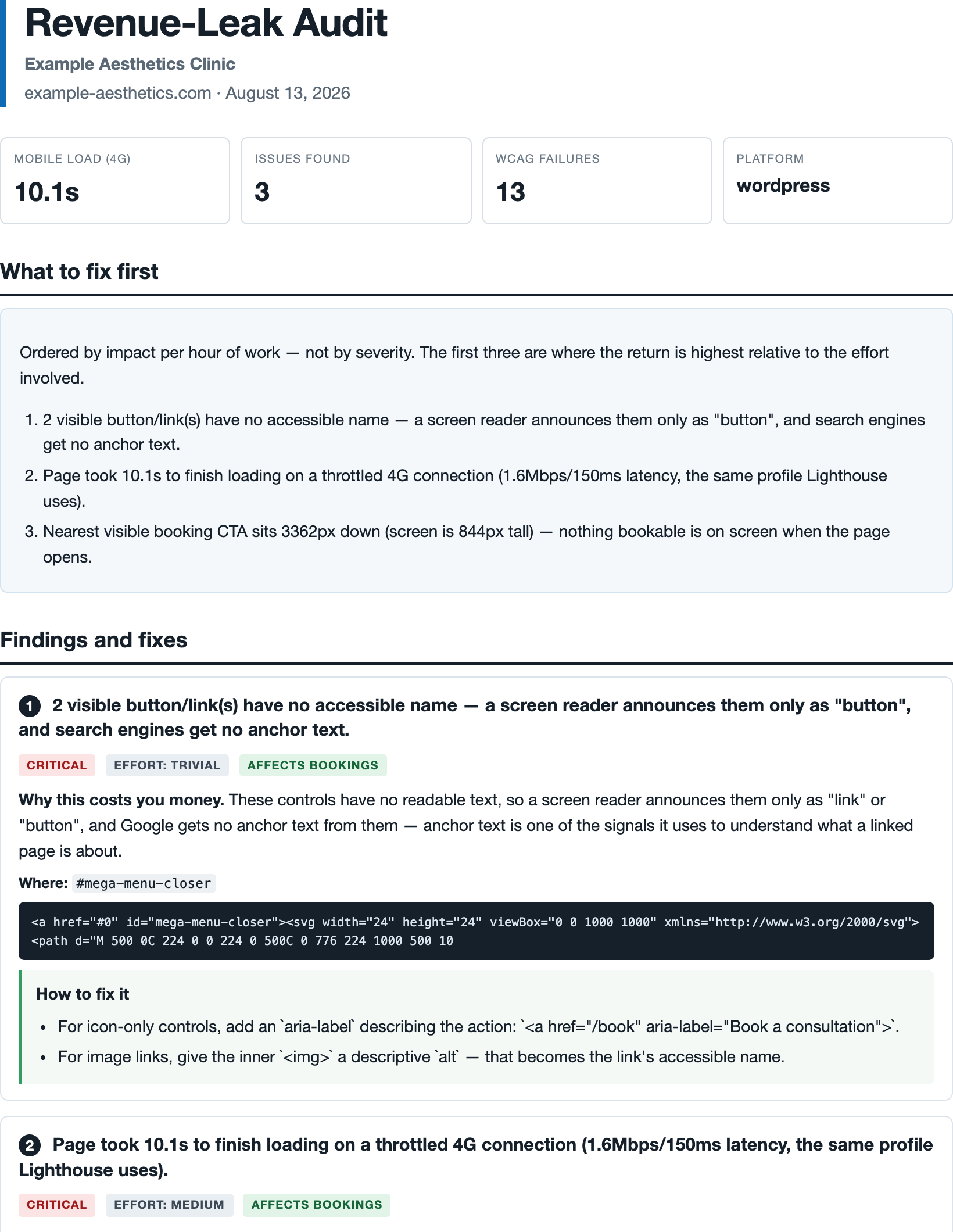
Example report. Practice name changed — we never publish a real client's findings.
We open your website the way a patient does — on a phone, on mobile data — then send you a plain-English report of what's stopping them booking, and exactly how to fix each one.
The small things that quietly cost you appointments — all of them invisible unless someone actually tests your site on a phone.
If your page takes more than a few seconds on mobile data, over half your visitors leave before they see anything at all.
Visible the moment the page opens — not buried under a menu button or three screens further down.
On many sites the phone number is just text, so nobody can tap to call. They have to memorise it.
Whether the enquiry form behaves on a small screen, and whether a phone can fill it in automatically.
Or spills off the side, so visitors have to pinch and scroll sideways just to read what you offer.
Buttons with no label are silent to patients using a screen reader — and invisible to Google too.
Every problem we found, exactly where it is, and what to do about it — ordered by what's worth fixing first.
Example report. Practice name changed — we never publish a real client's findings.
That's the whole setup. No call, no questionnaire, no access to anything.
Homepage, booking page, contact, pricing and services — on a phone-sized screen over a slow mobile connection, several times each.
Every problem, where it is, and what to do about it — written for the system your site is built on, whether that's WordPress, Squarespace, Wix or something else.
You can check everything yourself. We never ask you to take our word for it. Where we say your page is slow, put your address into Google's free speed checker and you'll see the same thing. Where we point at a broken button, we tell you exactly which one.
Full refund, no argument. Every finding in the report can be checked independently — that is the whole point of how it's written, and it's why we can offer this without hesitating.
No, and we'd advise against those. A widget bolted onto your site doesn't fix the underlying problems — one company selling them was fined $1M by the FTC over what it claimed they did. We tell you what's actually broken so it can actually be fixed.
Some fixes you can do yourself in your website editor in minutes — adding a tappable phone number, moving a button, re-saving oversized images. Others are worth passing to whoever built your site. The report says which is which, so you're not guessing.
No, and any report claiming otherwise is overselling. Automatic checking reliably catches around a third of accessibility problems; the rest needs a person testing by hand. Your report states this plainly rather than implying it's exhaustive.
No. It's a technical report about things on your website that cost you bookings. It doesn't assess legal exposure and it isn't a compliance certificate.
If you found this page because you spotted us in your website logs, here's exactly what that was.
Before contacting a practice, we run an automatic check on its public homepage — the same kind of visit Google makes when it looks at your site.
| What it does | Opens pages that are already public and reads what your website sends back |
|---|---|
| What it never does | No logins. No filling in forms. No making bookings. No changing anything. No security probing. |
| How often | A handful of pages, once, with a pause between each |
| How to spot it | It identifies itself as RevenueLeakAudit in your logs |
To be left alone entirely, email
hello@vigilworks.dev with your website address, or add
User-agent: RevenueLeakAudit / Disallow: / to your robots.txt.
Either removes you from both the checking and any email, permanently, within one working
day. You don't have to give a reason.
Pages load in a real browser at an iPhone viewport with the connection shaped to 1.6 Mbps / 150 ms latency — the same mobile profile Google Lighthouse uses, so figures are comparable to PageSpeed Insights. Load time is sampled at least three times per page and we quote the fastest result, so the real-world number is likely worse than reported, never better.
Accessibility findings come from axe-core, the open-source engine behind Chrome
DevTools' accessibility audit, run against WCAG 2.1 A and AA. Each finding carries the
element's selector and markup so it can be reproduced directly.
robots.txt is honoured, including a rule naming
RevenueLeakAudit.